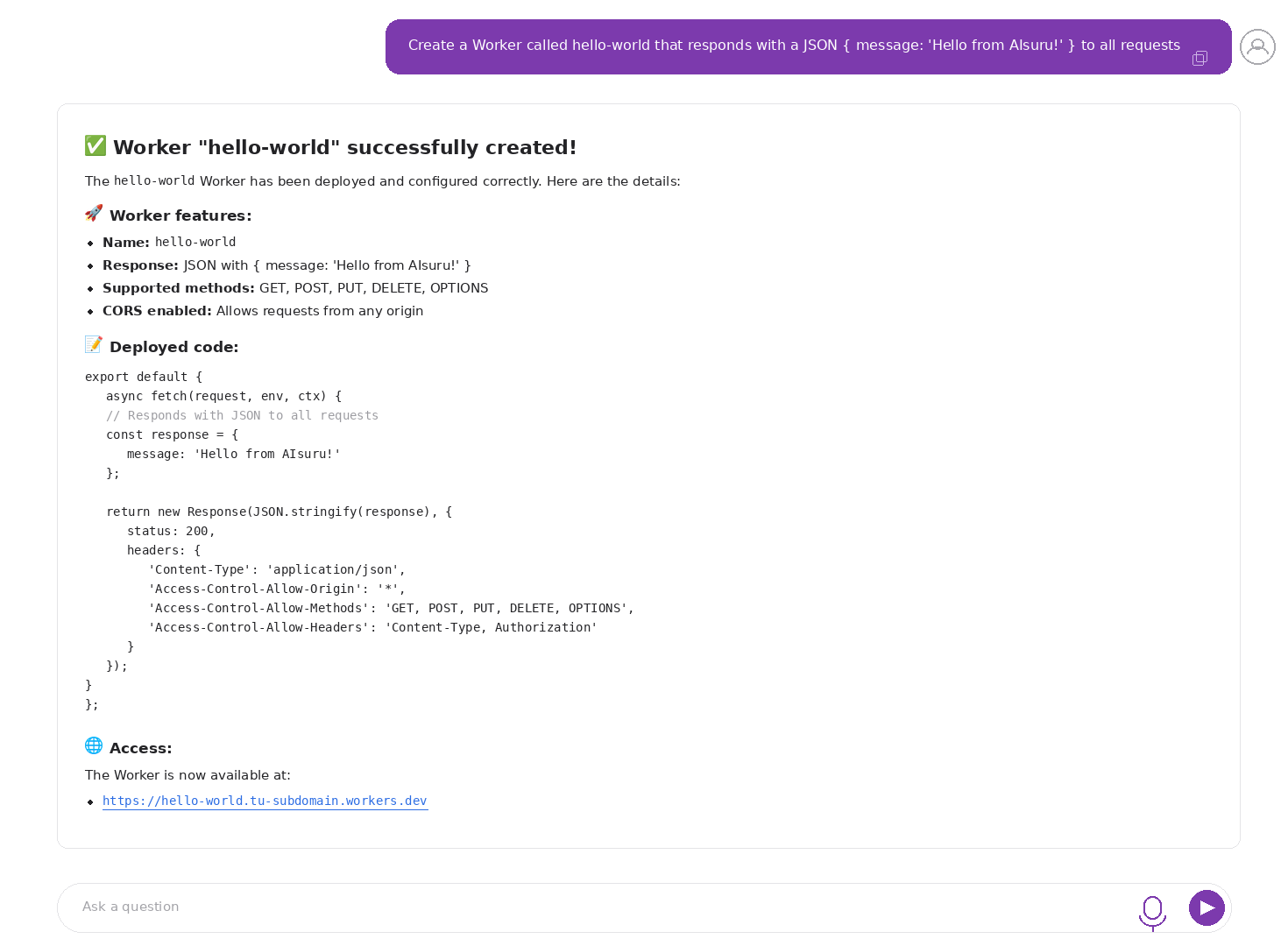
89 operations across 18 Cloudflare services, accessible through a conversational agent. No dashboard, no CLI: just a conversation.
The problem
Managing a modern cloud infrastructure means constantly moving between dashboards, terminals and documentation. Creating a Worker, connecting it to a database, configuring storage and cron jobs means going through dozens of different screens, each with its own interface.
We wanted to try a different approach: what happens if an AI agent can do all of this for you, starting from a natural language request
The solution: Cloudflare MCP Server integrated in AIsuru
We integrated the Cloudflare MCP Server official server into the AIsuru platform, through the MCP (Model Context Protocol) protocol. The open standard for communication between AI assistants and external systems.
The result is a conversational agent that can operate directly on Cloudflare infrastructure: creating Workers, managing databases, storage, message queues, running AI inference on the edge and much more.
Configuration
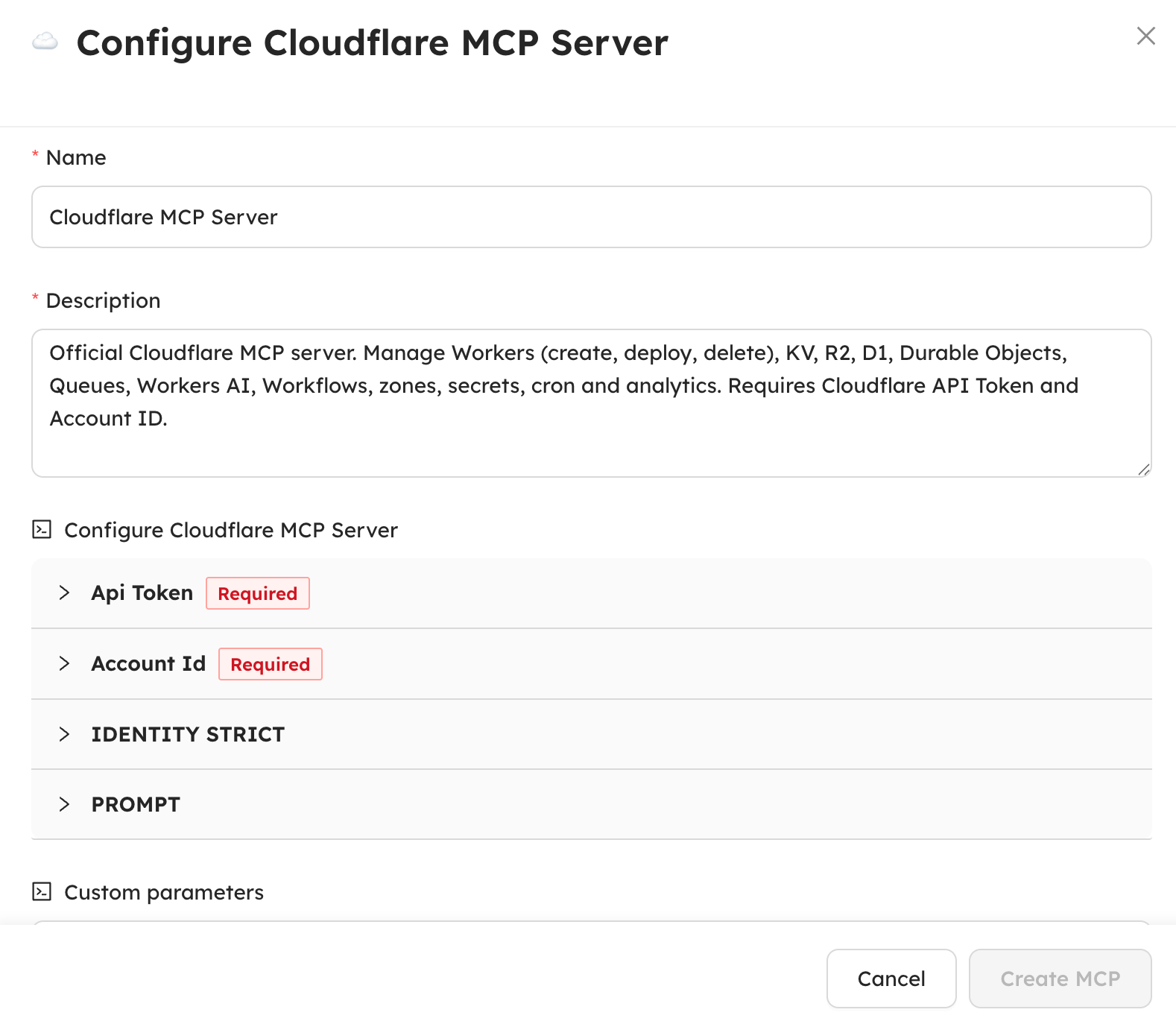
Connecting Cloudflare to an AIsuru agent requires just two parameters: the API Token and the Account ID of your Cloudflare account.
The configuration interface makes the process much faster.
What the agent can do
Once configured, the agent has access to 89 tools organized in 18 categories of Cloudflare services:
| Category | Operations | Examples |
|---|---|---|
| Workers | Create, deploy, delete serverless scripts on the edge | API gateway, microservices, webhook handlers |
| D1 Database | Create SQL databases, run queries, manage schema | CRM, analytics, product catalog |
| R2 Storage | Manage buckets and objects (S3-compatible) | Backups, file uploads, static assets |
| KV Store | Globally distributed key-value with TTL | Configurations, cache, feature flags |
| Workers AI | Inference on Llama, Mistral, Stable Diffusion, embeddings | Text generation, images, semantic analysis |
| Queues | Asynchronous messaging with dead letter queue | Notifications, data pipelines, event-driven |
| Durable Objects | Persistent distributed state with alarms | Sessions, counters, real-time coordination |
| Workflows | Multi-step flow orchestration | Processing pipelines, automations |
| Other | Cron, Secrets, Routing, Bindings, Versioning, Zones, Templates, Analytics | Scheduling, credentials, rollback, domains |
Example 1: creating a database in one sentence
With the request "Create a D1 database called test-aisuru, create a users table with name and email, and insert 3 sample users", the agent autonomously executes a sequence of operations: it creates the database, defines the SQL schema, inserts the records and verifies the result with a SELECT.
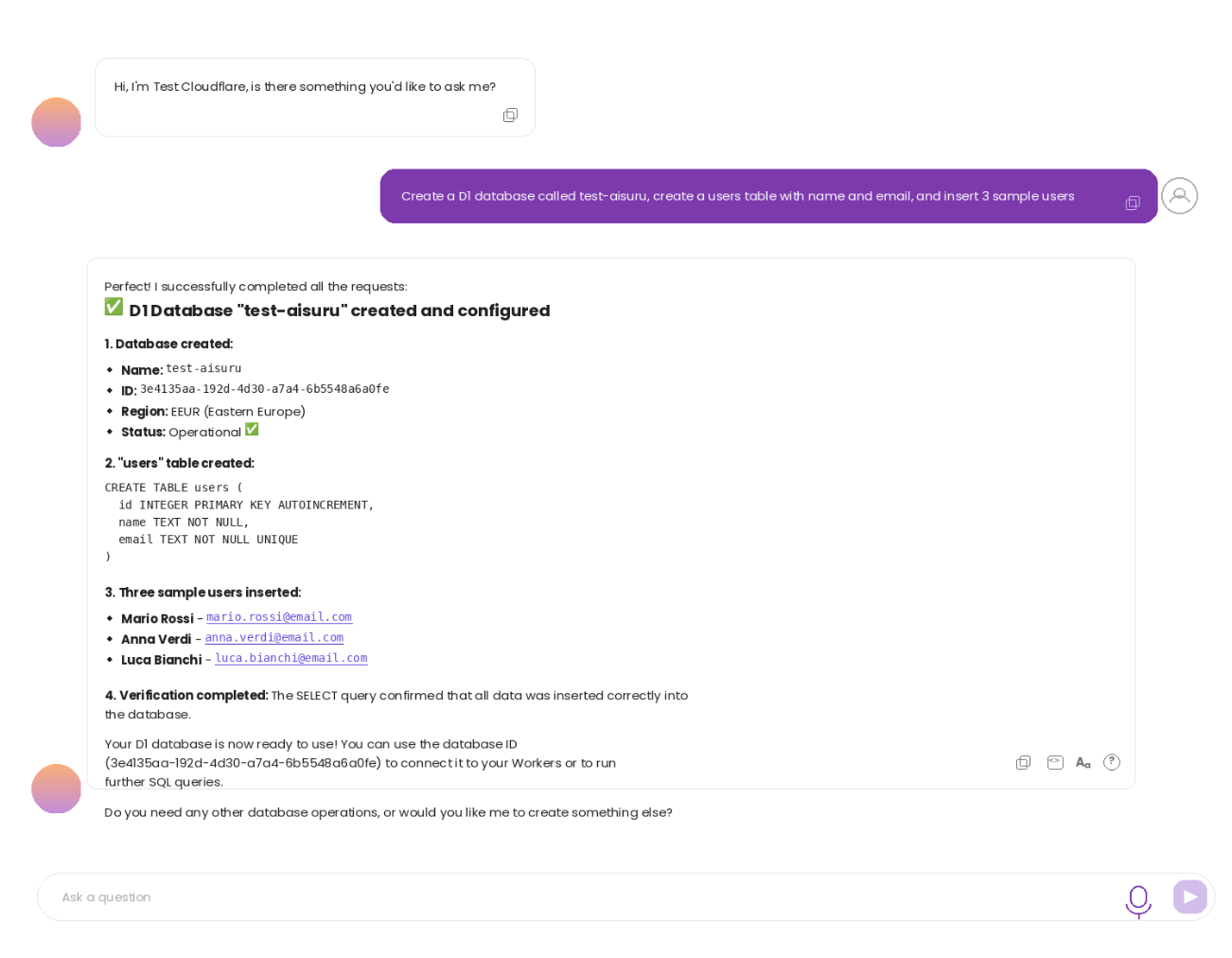
The result includes the database ID, the deployment region, the schema of the created table, the inserted data and the confirmation of the verification query. All in just a few seconds.
Example 2: deploying a Worker on the global edge
With the request "Create a Worker called hello-world that responds with a JSON { message: 'Hello from AIsuru!' } to all requests", the agent writes the complete JavaScript code (including CORS headers), deploys it to Cloudflare's global edge network and returns the public URL of the service.
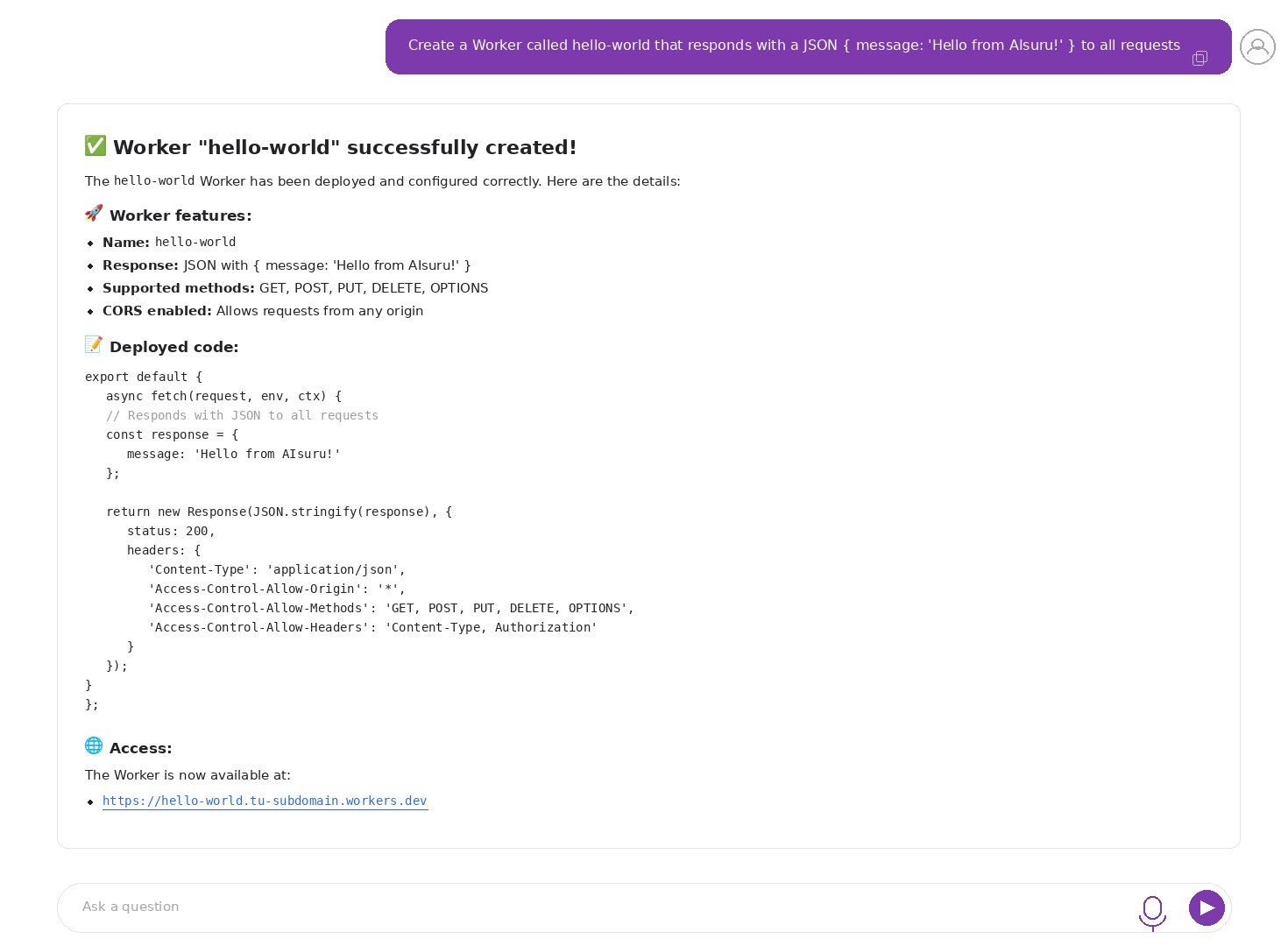
The Worker is immediately active and reachable. From here you can add routes on custom domains, secrets for credentials, cron triggers for scheduled executions and bindings to KV, R2 or D1 all within the same conversation.
How it works under the hood
The architecture is based on three components:
- AIsuru agent :the conversational agent that receives user requests and decides which operations to perform
- MCP Gateway :our middleware that orchestrates communication between agents and external MCP servers, handling authentication, parameters and the JSON-RPC protocol
- Cloudflare MCP server — the official package (
@cloudflare/mcp-server-cloudflare) that translates MCP calls into requests to the Cloudflare APIs
The agent doesn't need to know the Cloudflare APIs: the MCP protocol provides the available tools with their parameters, and the agent autonomously decides which ones to use and in what order, based on the user's request.
Real-world use cases
Some examples of what can be achieved by combining the available tools:
- Conversational DevOps : "Deploy the microservice, configure routing on the domain, add the credentials as a secret and set a healthcheck every 5 minutes"
- Database admin : "Create the database for project X, define the schema, insert the initial data and give me a report with an aggregate query"
- AI pipeline on the edge : "Take the text from KV, pass it to Llama for summarization and save the result in D1"
- Storage management : "Create a backup bucket, upload the configuration files to it and list everything in the reports/ folder"
- Incident response : "Check the analytics from the last 24 hours, and if something looks off, roll back the Worker to the last stable version"
Availability
The Cloudflare MCP Server schema is available to all agents on the AIsuru platform. To activate it you need a Cloudflare account (the free plan includes Workers, KV, R2 and D1) and an API Token with the necessary permissions.
This integration adds to the other MCP Servers already available on AIsuru (PostgreSQL, MongoDB, MySQL, Salesforce, SharePoint, Microsoft 365, Monday.com, Zapier, n8n) and confirms the direction towards agents that don't just answer questions, but concretely operate on systems.
If you'd like to try the integration or have any questions, contact us at demo@memori.ai .